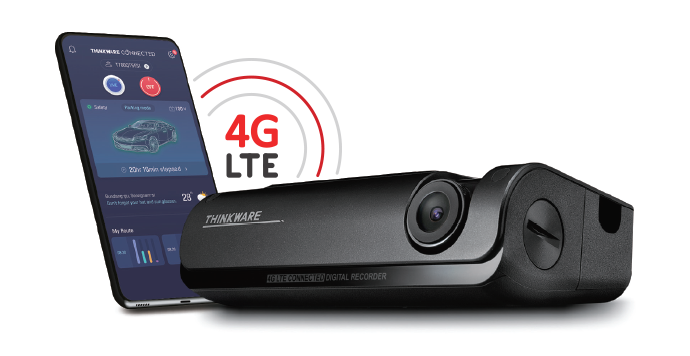
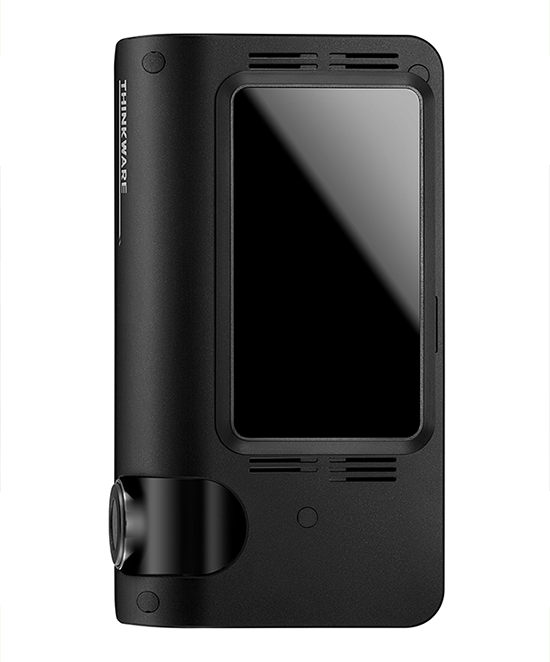
The Thinkware T700 is a dual-channel 1080P Full HD dash cam with built-in 4G LTE, designed for drivers who want real-time remote connectivity from anywhere. Simply insert an active nano-size 4G SIM card (not included) with SMS and internet data to unlock the advanced connected features. The Australian version is compatible with Telstra, Optus, and Vodafone 4G LTE networks.

Thinkware CONNECTED LTE Smartphone App
The Thinkware CONNECTED LTE mobile app offers a wide range of smart features, enabling you to truly communicate with your vehicle in real time and seamlessly. One account on Thinkware CONNECTED LTE can connect up to five dash cam devices. Compatible with Android 7.0 Nougat or higher and iOS 11.4 or higher.


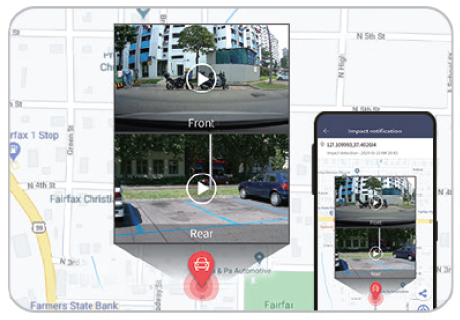
Real-Time Parking Impact Video
When an impact is detected in standard parking mode, receive a notification and play a 20-second Full HD video (10 seconds before and after the incident) on your smartphone.
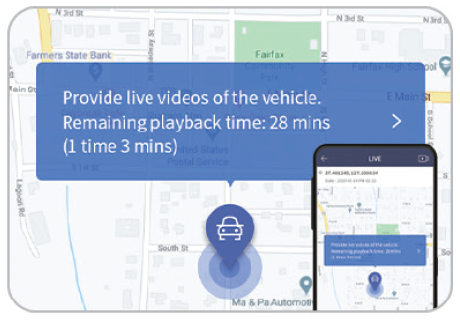
Remote Live View
Remotely view your dash cam in Continuous Recording Mode and Standard Parking Mode by tapping the Live View button in the app. Remote Live View can be requested up to 300 minutes per month. Note: Remote Live View is unavailable in Energy Saving Mode when the vehicle is parked.
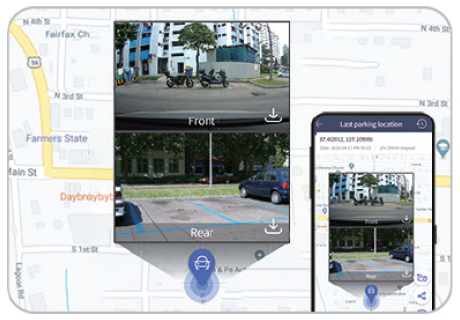
Captured Image of Parked Vehicle
In Parking Mode, check the location of your vehicle and its surroundings. View a Full HD image from both the front and rear cameras, including the location of your parked vehicle.
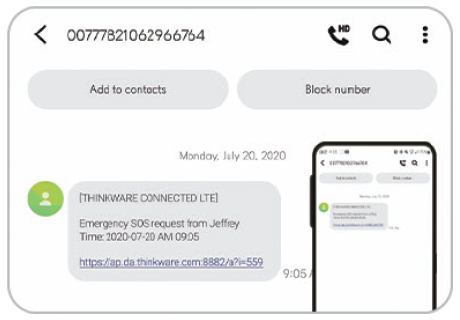
Emergency SOS Alert
An SOS message and video clip will be sent to your nominated emergency contact in the event of a strong impact crash, or when the driver manually presses the SOS button on the dash cam. A strong impact crash message includes a 20-second video (10 seconds before and after the incident) and the location of the crash. A manual SOS recording includes a 10-second video (5 seconds before and after) and the crash location.
Vehicle Status and Driving History
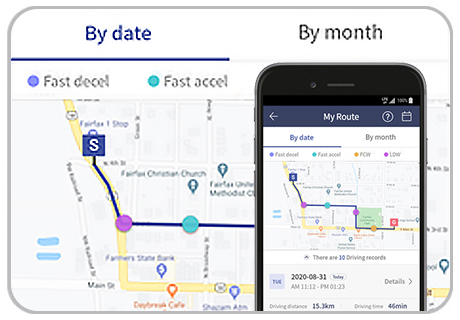
Monitor your vehicle’s status to check whether it is parked or on the road. View your driving history including date, time, distance, route, and driving behaviour. Check your vehicle’s battery voltage and remotely turn off the dash cam when the battery is running low.
Remote Firmware Data Update
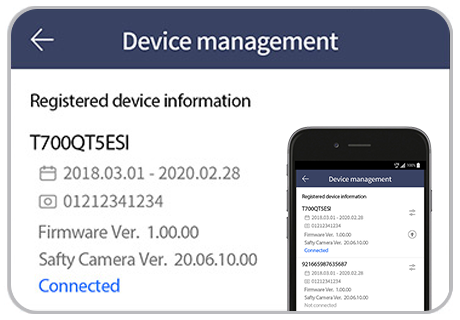
Update your dash cam’s firmware remotely to enhance features, maintain optimal operation, and improve stability. Firmware download can take several minutes; you will receive a push notification once the download is complete, at which point you can reboot the dash cam to apply the update.
Note: No new video is recorded while the first 20-second impact file is being saved. If a second or third impact is detected, an additional push notification is sent; impacts within 10 seconds of the first may appear in the remaining seconds of the first impact file. Strong impact videos are recorded at 30FPS and uploaded to the server; your emergency contact receives an SMS with the impact details and video URL. The service and transmission behaviour may vary depending on the server environment and your mobile data connection.
Quick Downloads via Built-In Wi-Fi
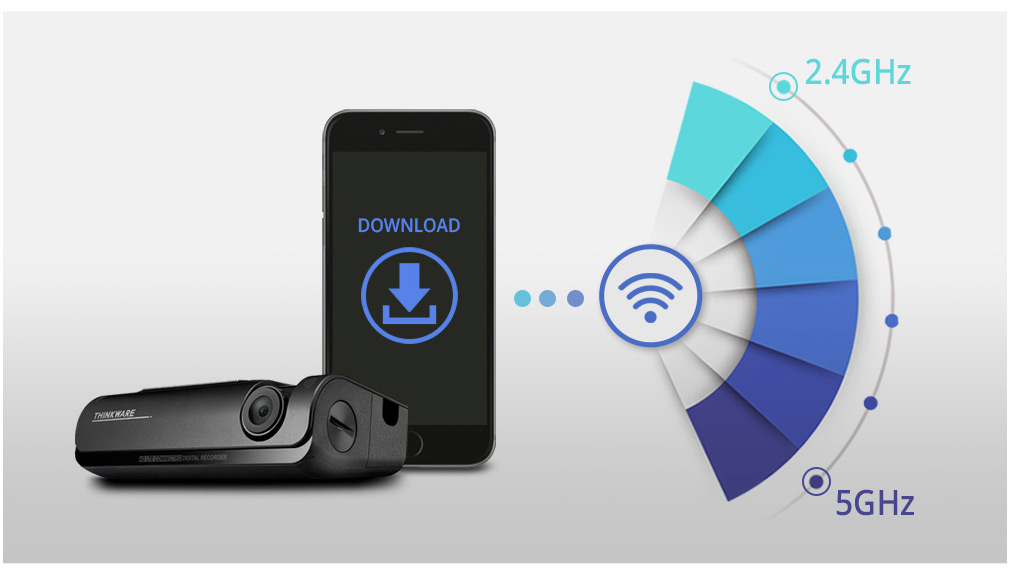
Wi-Fi connectivity supports both 2.4GHz and 5GHz bands for the best experience in different environments. The 2.4GHz band offers a longer range and broader device capture, making it suited to undisrupted environments. The 5GHz band delivers better performance with higher bandwidth over shorter distances, reducing interference in congested urban environments. Download speed and connection performance may vary according to smartphone specifications and telecommunications conditions.
Thinkware Dash Cam Link App
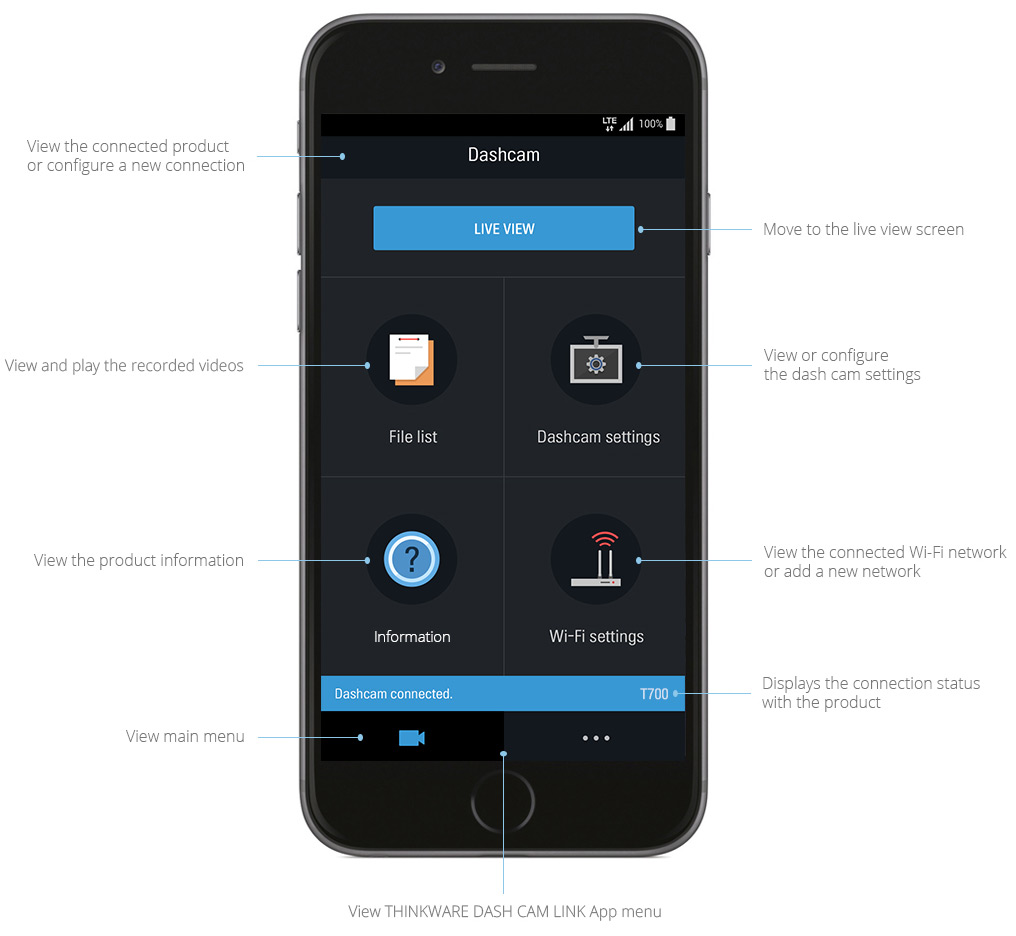
The Thinkware T700 can be connected to your smartphone via the Thinkware Dash Cam Link app using built-in Wi-Fi. From the app, check the live view screen, play back recorded videos, and manage dash cam settings — all from your phone. Compatible with Android 7.0 Nougat or higher and iOS 11.4 or higher. The dash cam and smartphone must be within 5 metres of each other and the dash cam must be powered on for the Wi-Fi connection.

Comprehensive Driving Data with Built-In GPS
The T700’s built-in GPS precisely pinpoints your vehicle’s location and routes, along with driving speed, on a map. In the event of an incident, GPS provides an accurate assessment of the situation by recording vehicle speed, direction of collision, and severity of impact. The dash cam also tracks and recalls past driving routes — whether for work schedules or holiday trips.
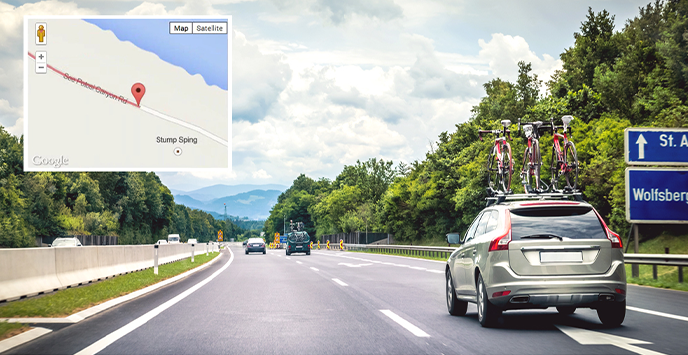
Advanced Driver Alert System (ADAS)
Lane Departure Warning System (LDWS)
Designed for distracted or drowsy drivers, the LDWS alerts you as soon as it detects your vehicle leaving its lane while driving at speeds over 50km/h, helping to prevent road incidents and protect you and your passengers.

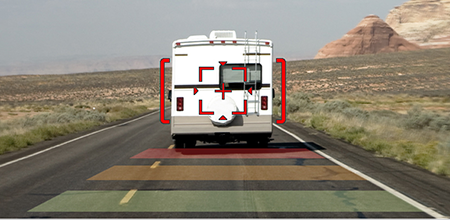
High Speed / Urban Forward Collision Warning System (FCWS / uFCWS)
Keep a safe distance from the vehicle ahead with FCWS and uFCWS. The system calculates real-time following distance at speeds over 30km/h on expressways (FCWS) and under 30km/h in congested city conditions (uFCWS). A three-level early warning is issued depending on the severity of the potential collision risk.
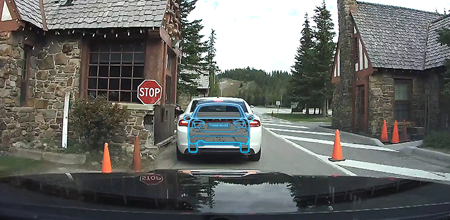
Front Vehicle Departure Warning (FVDW) and Safety Camera Alerts
When stopped at an intersection or in a traffic jam, the FVDW system alerts you when the vehicle ahead has already started moving, keeping you attentive at all times. The T700 also provides Safety Camera Alerts for fixed speed and red-light cameras, average speed camera zones, and mobile speed zones via the built-in GPS.
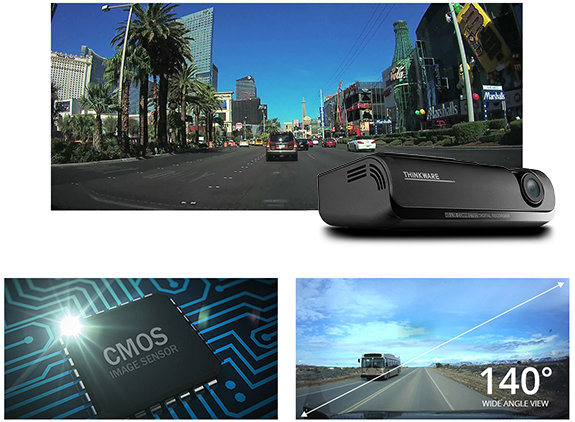
High Definition Video Quality
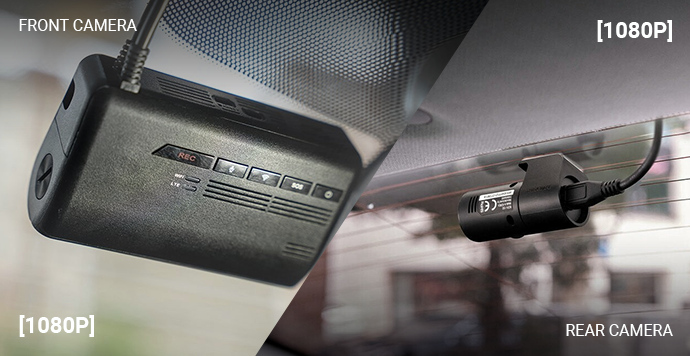
CMOS Image Sensors deliver constant front and rear 1080P Full HD recording in both daytime and nighttime conditions. The 140° front and 160° rear wide-angle lenses minimise blind spots to ensure all events are recorded without fail.
Dual Channel
The T700 is a dual-channel dash cam and is available as a pack with both front and rear cameras included. The rear camera mounts inside the rear window and is designed to capture events at the back of the vehicle.
State-of-the-Art Video Enhancements
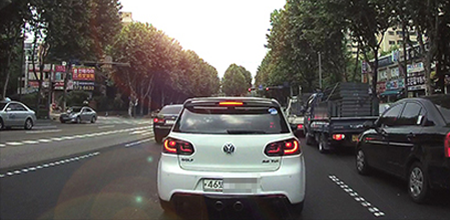
Wide Dynamic Range (WDR)
Whether driving under bright sunlight, exiting a tunnel, or entering the shadow of a tall building, the WDR feature compensates for sudden changes in light exposure. It eliminates overly bright spots and corrects colour balance to produce consistently clear images.
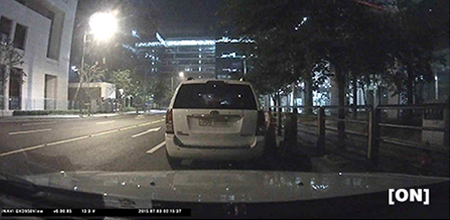
Super Night Vision 1.0
Using the latest Image Signal Processing (ISP) technology, the T700 records video up to 10 times brighter than standard in low-light environments such as dark alleyways or underground car parks, including in standard parking mode recordings.
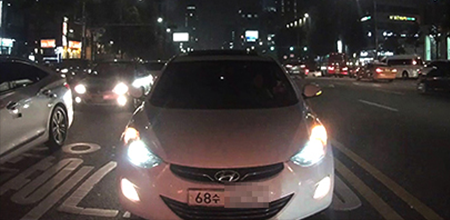
Automatic Exposure
A sudden rise in light exposure caused by intense sunlight, oncoming headlight beams, or poor tunnel lighting can challenge any ordinary dash cam. The T700 features automatic light exposure control that adjusts levels at all times for consistently crisp footage.
Various Autonomous Recording Modes
Continuous Recording Mode
Automatically activates when the engine starts, recording video in one-minute segments via an auto-looping mechanism.

Event Recording Mode
The Active Impact Monitoring System, powered by the built-in three-axis G-Sensor, automatically stores video data 10 seconds before and after a collision.

Manual Recording Mode
Simply press the Manual Record button on the dash cam to save video files separately from the Continuous Recording videos.

Advanced Parking Surveillance Mode
While the vehicle is parked, if an impact is detected, the dash cam securely stores 20 seconds of footage (10 seconds before and 10 seconds after the incident).

Audio/Voice Recording
In addition to video, the T700 records crystal-clear in-cabin audio to provide a complete account of events on the road.

Energy Save Park Mode
Energy Save Parking Mode significantly reduces power consumption by up to one-third while delivering up to three times longer video recording capability. Ideal for extended periods of unattended parking, the dash cam enters a sleep state after capturing a 20-second footage clip of any impact or motion detected by the G-Sensor.
Time Lapse Park Mode
Recording at 2 frames per second, Time Lapse Park Mode reduces video file sizes to capture footage from the parked vehicle for up to 16 times longer than standard parking modes. This ensures important clips and images remain safely stored in memory for the long haul.
High Temperature Protection System
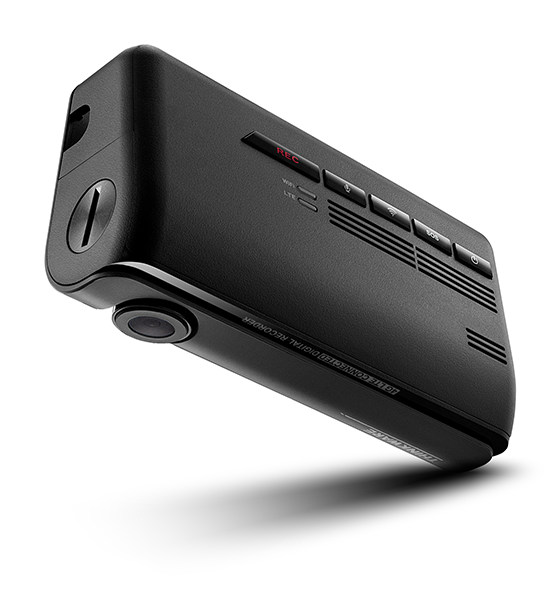
Like all Thinkware dash cams, the T700 features a built-in thermal sensor that protects it from intense heat. Housed in a specially designed heat-discharge construction, the sensor automatically shuts the unit down to prevent overheating, allowing the dash cam to perform reliably even in the harshest Australian weather conditions.

PC and Mac Viewer
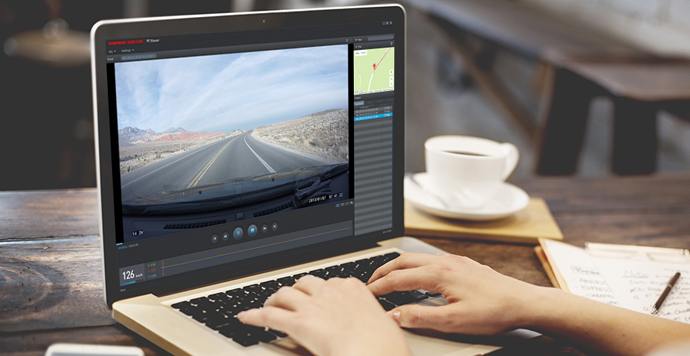
The intuitive and easy-to-use Thinkware viewer software allows convenient playback and download of recorded videos, along with route history and speed records. You can also change dash cam settings, format the memory card, or install firmware updates with just a few clicks.